

Table of Contents
Overview
IPTV technology has become one of the most popular ways to watch television online. Instead of traditional cable subscriptions, many people now prefer streaming content through IPTV players. One application that has gained attention among Apple users is SNPlayer IPTV Player. This app allows users to watch IPTV channels by importing their own playlists.
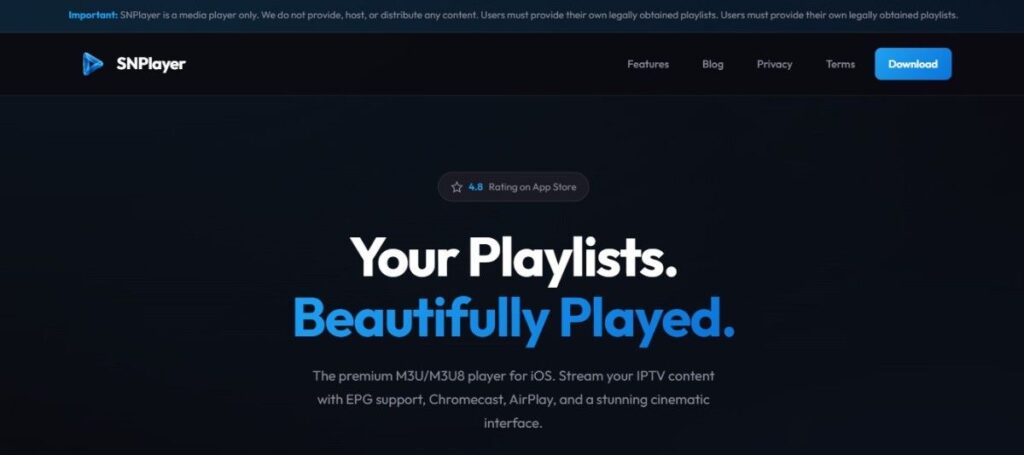
SNPlayer is not a streaming service. It does not host or distribute TV channels. Instead, it works as a media player where users can load M3U playlists from their IPTV providers.
What is SNPlayer IPTV Player?
The player supports M3U and M3U8 formats, which are widely used in IPTV streaming services. Once a playlist is added, the app automatically displays channels and organizes them into categories. SNPlayer focuses mainly on playback quality and user experience.
Another important benefit is privacy. The application does not require user accounts or personal data. All playlist information remains on the user’s device. For viewers who already have IPTV playlists and want a reliable player, SNPlayer can be a practical solution.
Features
Here are some of the main features available in SNPlayer IPTV Player:
- Import IPTV playlists using M3U or M3U8 links
- Quick playlist setup through URL or file upload
- Smooth live TV playback
- Support for HD, Full HD, and 4K streams
- Integrated electronic program guide (EPG)
- Organized movie and series sections
- Apple AirPlay support for wireless casting
- Chromecast streaming to smart TVs
- Picture-in-Picture viewing mode
- Favorite channel list for quick access
- Resume playback with watch history
- Parental control with PIN protection
- Subtitle and multi-audio support
- Fast hardware-based video decoding
- Simple and elegant user interface
Pros & Cons
| Pros | Cons |
|---|---|
| Easy to use interface | Available only on iOS |
| Supports popular playlist formats | Does not provide IPTV content |
| High-quality video playback | Requires external playlist |
| AirPlay and Chromecast support | Limited advanced settings |
| Privacy focused design | No Android version |
Pricing
| Plan | Price |
|---|---|
| Free Version | Free |
| Premium Upgrade | USD 4.99 |
| Lifetime Version | USD 9.99 |
The free version allows users to stream playlists with basic features. The premium version unlocks additional functionality and improvements.
Installation Guide
Setting up SNPlayer IPTV Player is a simple process.
Follow these steps:
- Open the Apple App Store on your iPhone or iPad.
- Search for SNPlayer IPTV Player.
- Select the official application from the results.
- Tap Install to download the app.
- Launch the application after installation.
- Add your IPTV playlist using an M3U link or file.
- Start watching channels or video content.
The entire process usually takes only a few minutes.
Which Device Support SNPlayer?
SNPlayer is designed mainly for Apple ecosystem devices.
Supported devices include:
- iPhone
- iPad
- Apple TV
- iOS tablets
- CarPlay supported systems
The application works best with newer iOS versions for improved performance.
Free Trial
- SNPlayer offers a free version that allows users to test the main features before purchasing the premium version.
- This free plan supports playlist playback and basic streaming tools.
Payment Method
Premium upgrades are handled through the Apple App Store.
Available payment methods include:
- Credit cards
- Debit cards
- Apple Pay
- Apple ID balance
- Gift cards
Transactions are processed securely through Apple’s official system.
Customer Service
SNPlayer provides customer service through online support channels. Users can reach out for assistance with technical issues, setup questions, or app functionality.
Most user inquiries are addressed through the help section on the official website.
Customer Support
The application also offers several support resources such as:
- Email contact for technical issues
- Frequently asked questions section
- Setup tutorials and guides
- Blog articles explaining IPTV usage
These resources help users solve common problems and learn how to use the player.
Best Alternatives
If you want to explore other IPTV players, there are several alternatives available.
- VLC Media Player
- IPTV Smarters Player
- GSE Smart IPTV
- TiviMate
- IBO Player
Conclusion
SNPlayer IPTV Player is a solid IPTV player for users who prefer watching content on Apple devices. It provides smooth streaming performance, a clean interface, and useful features such as EPG support and wireless casting.The application is designed as a media player only, meaning it does not offer any TV channels or streaming services. Users must import their own playlists to watch content.
For people who already have IPTV subscriptions and want a simple player for iPhone or iPad, SNPlayer can be a good choice.
FAQs
What does SNPlayer IPTV Player do?
What does SNPlayer IPTV Player do?
Is SNPlayer free to use?
Yes, the basic version is free to download and use.
3. Can SNPlayer play IPTV movies and series?
Yes, if the playlist includes VOD content.
4. Does SNPlayer collect user data?
No, the app stores data locally and focuses on privacy.
Which playlist formats work with SNPlayer?
The player supports M3U and M3U8 playlist formats.

