

Discover LuminaryTV IPTV features, pricing, installation guide, pros and cons, free trial options, customer support, and the best alternatives in 2026.
Table of Contents
What is LuminaryTV?
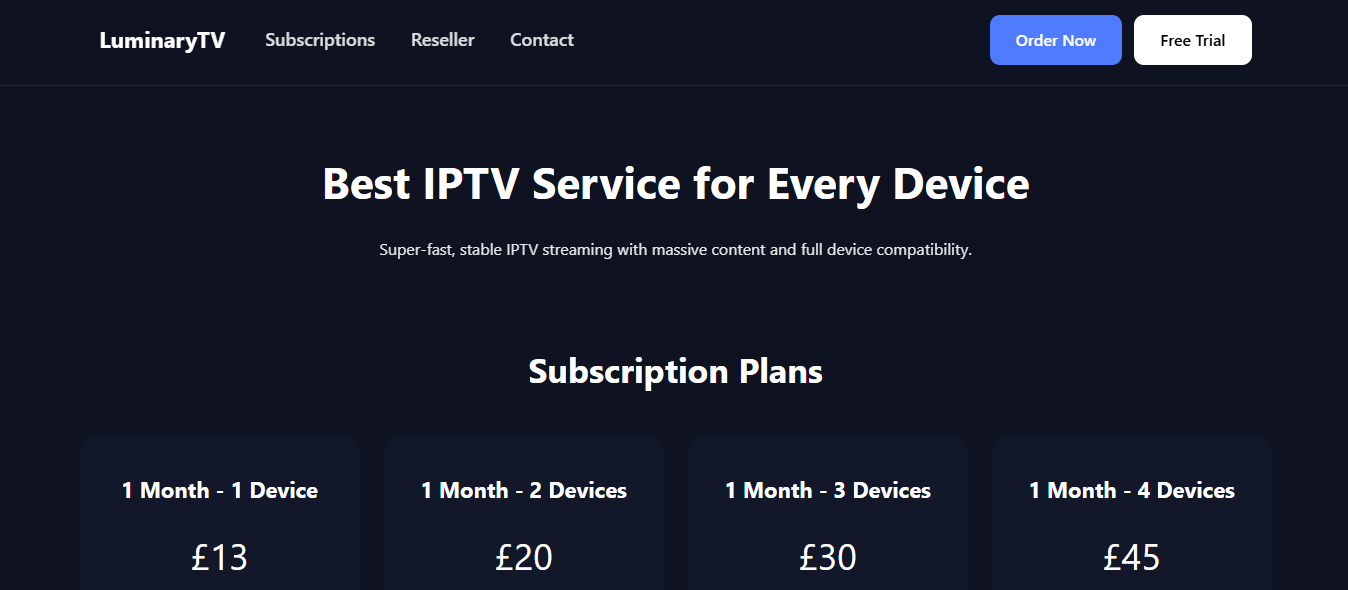
LuminaryTV is an IPTV streaming platform that allows users to watch live TV channels, movies, sports, and on-demand entertainment using an internet connection. Unlike traditional cable services, IPTV platforms stream content online across multiple devices.
The service has become popular among streaming users because of its affordable plans, wide channel lineup, and compatibility with devices like Firestick, Android TV, Smart TVs, smartphones, and PCs. Many users choose LuminaryTV for international entertainment and premium live channels in one place.
Key Features of LuminaryTV
Large Channel Selection
LuminaryTV provides access to thousands of live TV channels from categories such as sports, entertainment, news, kids, and international programming.
HD & 4K Streaming
The platform supports HD, Full HD, and selected 4K streams for users who prefer high-quality viewing experiences.
Video on Demand Library
Users can stream movies, TV shows, documentaries, and trending entertainment content anytime through the VOD section.
Multi-Device Compatibility
LuminaryTV works on several devices including:
- Amazon Firestick
- Android TV
- Smart TVs
- Windows PC
- Smartphones & Tablets
- MAG Devices
Electronic Program Guide (EPG)
The built-in EPG feature helps users browse schedules and upcoming TV programs easily.
Stable Streaming Servers
The platform uses stable streaming servers to reduce buffering and improve playback quality.
Pros & Cons of LuminaryTV
| Pros | Cons |
|---|---|
| Large selection of channels | Occasional buffering on some streams |
| Supports HD and 4K quality | Requires stable internet connection |
| Affordable subscription plans | Limited official information online |
| Compatible with multiple devices | Trial availability may vary |
| Includes VOD content | Some channels may temporarily go offline |
LuminaryTV Pricing
Pricing can vary depending on subscription length and promotional offers.
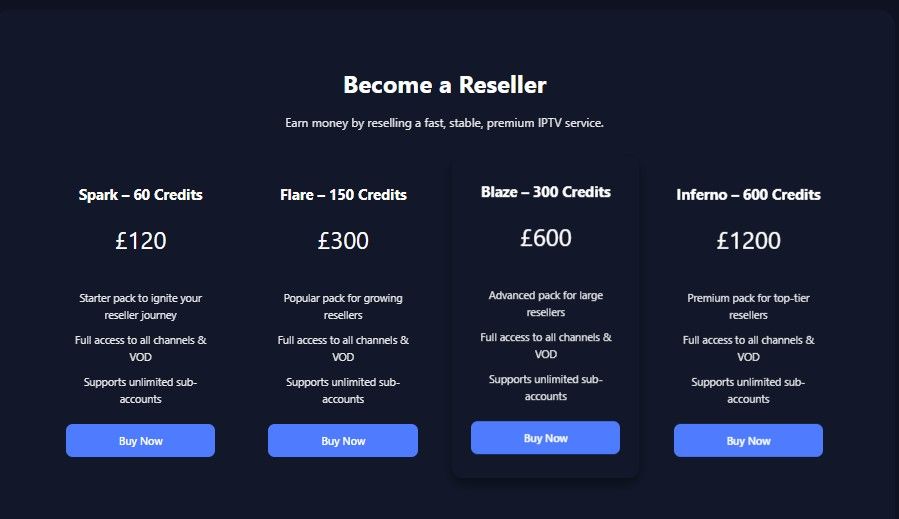
| Plan | Credits | Price | Features |
|---|---|---|---|
| Starter Pack | 60 Credits | £120 | Perfect for beginners, full access to live channels & VOD, reseller dashboard access |
| Growth Pack | 150 Credits | £300 | Designed for growing resellers, unlimited sub-account support, HD & 4K streaming |
| Advanced Pack | 300 Credits | £600 | Ideal for large resellers, premium channel access, stable servers, fast activation |
| Premium Pack | 600 Credits | £1200 | Best for professional resellers, priority support, full IPTV access, unlimited management tools |
Longer subscription plans usually provide better value for regular IPTV users.
Installation Guide
Install on Firestick
- Open Firestick Settings
- Enable “Apps from Unknown Sources”
- Install the Downloader app
- Enter the IPTV APK or playlist URL
- Install the application
- Log in with your subscription details
Install on Android Devices
- Download an IPTV player app
- Install the APK file
- Open the IPTV application
- Add M3U playlist or Xtream Codes login
- Start streaming content
Install on Smart TVs
Users can install IPTV apps such as IPTV Smarters or Smart IPTV directly from supported app stores and enter their LuminaryTV credentials.
Free Trial
LuminaryTV may provide a free trial or short-term test subscription for new users. A trial allows users to check streaming quality, channel availability, and device compatibility before purchasing a long-term plan.
Free trial availability may change depending on promotions or reseller offers.
Customer Support
LuminaryTV customer support is generally available through:
- Email support
- Live chat
- Telegram assistance
- Setup tutorials
Support teams typically help users with installation, activation, playback issues, and account-related questions.
Best Alternative to LuminaryTV
Several IPTV services compete with LuminaryTV in terms of streaming quality and channel selection.
Popular alternatives include:
Users should compare pricing, streaming stability, device support, and customer service before selecting an IPTV provider.
Why IPTV Services Are Growing
IPTV services continue to grow because they provide flexible entertainment options at lower prices compared to traditional cable television.
Benefits of IPTV include:
- Access to international content
- Affordable subscription plans
- On-demand streaming
- Multi-device compatibility
- Flexible viewing options
As internet speeds continue improving globally, IPTV adoption is expected to rise even further in 2026.
Tips for Better IPTV Streaming
Use Fast Internet
A minimum internet speed of 20 Mbps is recommended for stable HD streaming.
Use Wired Connections
Ethernet connections usually provide more stable playback than Wi-Fi.
Keep Apps Updated
Regular app updates improve compatibility and streaming performance.
Restart Devices Regularly
Restarting devices can reduce buffering and improve playback stability.
Conclusion
LuminaryTV is a feature-rich IPTV service that offers live TV, VOD content, HD streaming, and support for multiple devices. Its affordable pricing and extensive entertainment library make it a strong option for IPTV users in 2026.
Although occasional buffering may occur, the overall streaming experience remains competitive compared to many IPTV services available today. Users should consider trying the service before committing to a long-term subscription.
FAQ’s
Is LuminaryTV legal?
The legality of IPTV services depends on regional laws and content licensing agreements.
What devices support LuminaryTV?
LuminaryTV supports Firestick, Android devices, Smart TVs, PCs, tablets, and smartphones.
Does LuminaryTV offer sports channels?
Yes, the platform generally includes sports channels and live sports events.
Can I use LuminaryTV on multiple devices?
Some subscription plans may support multiple simultaneous connections.
Does LuminaryTV include VOD content?
Yes, users can access movies, TV shows, and additional on-demand entertainment.

