
Learn what OTTMania is, its features, pricing, installation steps, customer support, free trial availability, and the best alternatives.
Table of Contents
What is OTTMania?
OTTMania is an IPTV and OTT streaming platform that provides access to live TV channels, movies, TV series, sports content, and on-demand entertainment through internet-based streaming technology. Instead of relying on traditional cable or satellite services, OTTMania delivers content directly over the internet, allowing users to watch their favorite programs on multiple devices.
The platform is designed for users seeking flexible entertainment options with access to a large library of international and regional content. OTTMania supports various streaming devices, making it accessible across smart TVs, smartphones, tablets, and streaming boxes.
Users typically choose OTTMania because of its extensive channel lineup, HD streaming quality, and compatibility with different operating systems.
Key Features of OTTMania
1. Extensive Channel Library
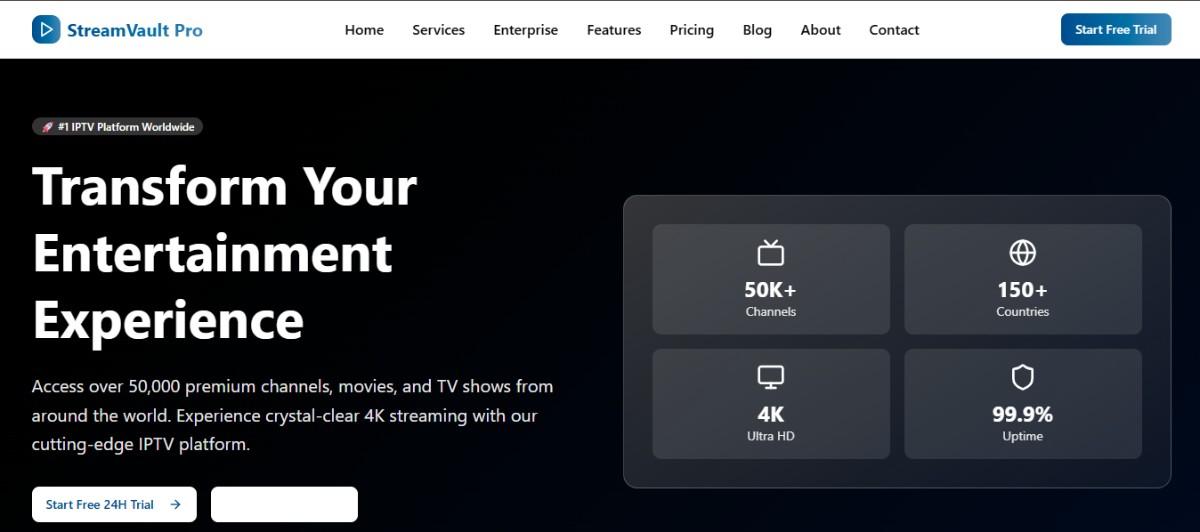
OTTMania offers access to thousands of live TV channels from various countries and categories, including news, entertainment, sports, and kids’ programming.
2. Video On Demand (VOD)
Users can stream movies and TV shows anytime through an extensive VOD library.
3. HD & 4K Streaming
The platform supports high-definition and 4K streaming for compatible content and devices.
4. Multi-Device Compatibility
OTTMania works on Smart TVs, Android devices, Firestick, tablets, PCs, and IPTV players.
5. Electronic Program Guide (EPG)
An integrated EPG helps users browse schedules and upcoming programs easily.
6. Anti-Freeze Technology
Advanced server technology aims to minimize buffering and improve streaming stability.
7. Multi-Screen Support
Users can stream content on multiple screens, depending on their subscription plan.
Pros & Cons
| Pros | Cons |
|---|---|
| Large content library | Availability may vary by region |
| Supports multiple devices | Internet connection quality affects performance |
| HD and 4K streaming support | Some features may depend on subscription plan |
| User-friendly interface | Device compatibility may differ |
| Access to live TV and VOD | Service uptime can vary |
Pricing
Note: Pricing structures can change over time depending on subscription plans and promotions.
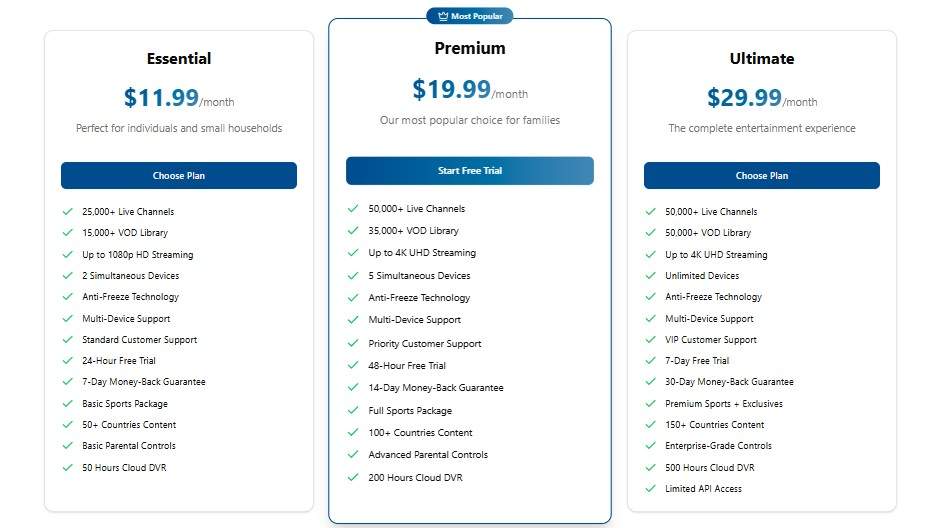
| Plan | Essential | Premium | Ultimate |
|---|---|---|---|
| Price | $11.99/month | $19.99/month | $29.99/month |
| Live Channels | 25,000+ | 50,000+ | 50,000+ |
| VOD Library | 15,000+ | 35,000+ | 50,000+ |
| Streaming Quality | Up to 1080p HD | Up to 4K UHD | Up to 4K UHD |
| Simultaneous Devices | 2 Devices | 5 Devices | Unlimited Devices |
| Anti-Freeze Technology | ✔ Included | ✔ Included | ✔ Included |
| Multi-Device Support | ✔ Included | ✔ Included | ✔ Included |
| Customer Support | Standard Support | Priority Support | VIP Support |
| Free Trial | 24 Hours | 48 Hours | 7 Days |
| Money-Back Guarantee | 7 Days | 14 Days | 30 Days |
| Sports Package | Basic Sports | Full Sports | Premium Sports + Exclusives |
| Content Coverage | 50+ Countries | 100+ Countries | 150+ Countries |
| Parental Controls | Basic | Advanced | Enterprise-Grade |
| Cloud DVR Storage | 50 Hours | 200 Hours | 500 Hours |
| API Access | ❌ No | ❌ No | ✔ Limited API Access |
Users should verify current pricing directly through the provider before purchasing.
Installation Guide
Install on Android Devices
- Enable installation from unknown sources.
- Download the OTTMania application or IPTV player.
- Install the APK file.
- Launch the app.
- Enter login credentials provided by your subscription.
- Start streaming content.
Install on Amazon Firestick
- Open Firestick Settings.
- Enable Apps from Unknown Sources.
- Install the Downloader app.
- Download the application file.
- Install and open the app.
- Enter subscription details.
Install on Smart TVs
- Download a compatible IPTV player.
- Open the player application.
- Add M3U playlist or Xtream Codes.
- Save settings and begin streaming.
Free Trial
Free trial availability depends on the provider’s current policy. Some IPTV services occasionally offer limited trial access for testing streaming quality and content availability, while others may not provide trials. Users should check directly with the service provider for the latest information.
Customer Support
OTTMania customer support may include:
- Email support
- Live chat assistance
- Ticket system
- Setup guides and FAQs
Response times can vary depending on support channels and user demand.
Best Alternatives
If you’re exploring similar streaming platforms, consider these alternatives:
When selecting an alternative, compare features such as channel availability, device compatibility, streaming quality, and customer support.
Conclusion
OTTMania is a IPTV streaming solution designed for users seeking internet-based television and on-demand entertainment. Its support for multiple devices, HD streaming capabilities, and extensive content library make it appealing to many users. Before subscribing, users should evaluate pricing, device compatibility, customer support quality, and service availability to ensure it meets their entertainment needs.
Frequently Asked Questions (FAQs)
What is OTTMania used for?
OTTMania is used for streaming live TV channels and on-demand entertainment over the internet.
Does OTTMania support Smart TVs?
Yes, OTTMania is generally compatible with many Smart TVs through IPTV applications.
Can I use OTTMania on multiple devices?
Multi-device usage depends on the subscription plan and provider policies.
Is OTTMania available worldwide?
Availability may vary by country and regional restrictions.
What internet speed is recommended?
A stable internet connection of at least 15–25 Mbps is generally recommended for HD streaming, while 4K streaming may require higher speeds.

